

Top Design Software Options
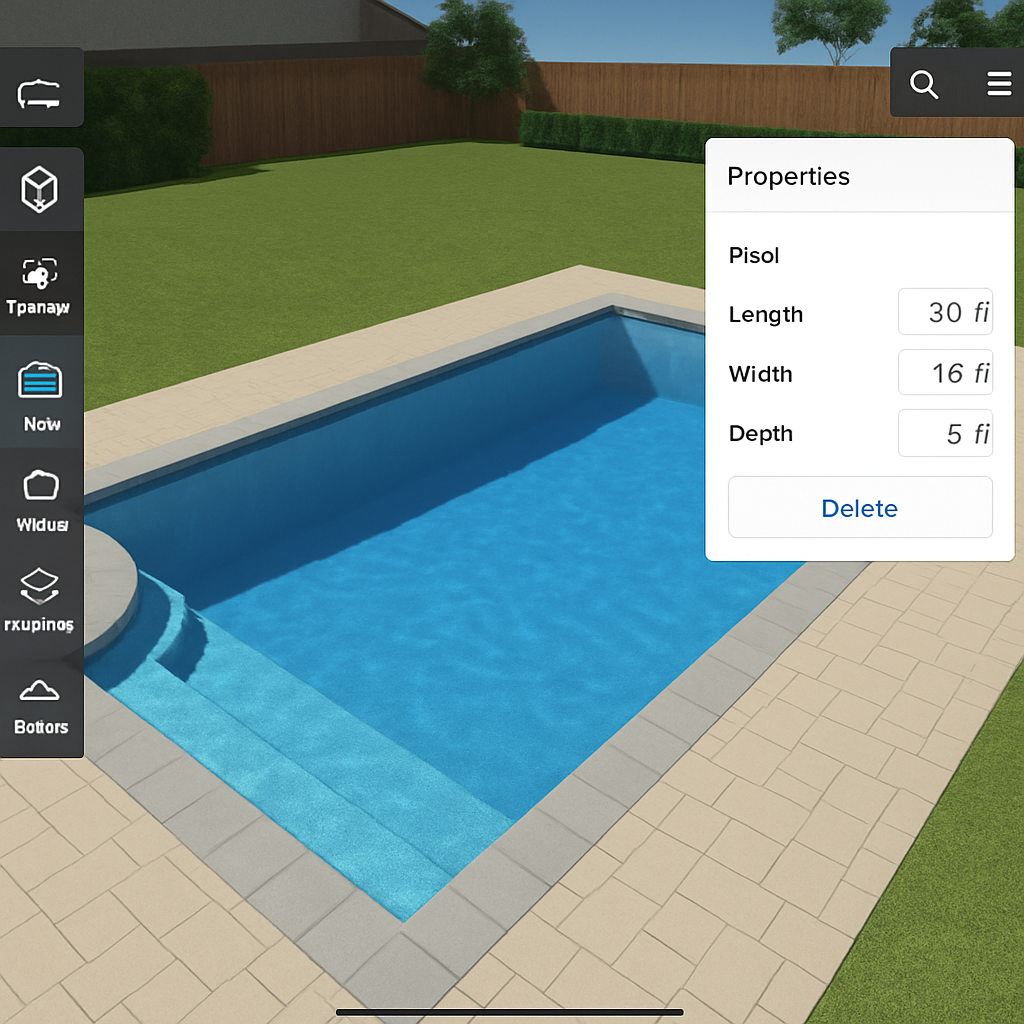
Designing a pool involves more than just deciding its shape and size. Modern pool design software enables designers to visualize every aspect of the pool, from water features to landscaping. These tools provide a platform to experiment with different designs, materials, and environmental settings, offering a comprehensive view of the entire project. By utilizing these advanced software options, designers can ensure that every element of the pool complements the surrounding environment, enhancing the overall aesthetic and functionality of the space.
Pool Studio
Pool Studio is a leading design software specifically tailored for pool and landscape design. Its user-friendly interface and robust features allow users to create detailed 3D designs. The software’s intuitive tools make it accessible for both seasoned professionals and newcomers, ensuring that anyone can achieve professional-grade results. With Pool Studio, designers can showcase their concepts with realistic visuals, making it easier for clients to envision the final product. The ability to simulate different lighting conditions and water features adds another layer of realism, helping clients to make informed decisions about their projects.
Structure Studios
Another notable option is Structure Studios, which offers a suite of tools for pool and landscape professionals. Its detailed 3D modeling capabilities and comprehensive library of materials and textures make it a go-to for creating stunning pool designs. The software’s advanced features allow for the incorporation of complex elements such as waterfalls, lighting, and custom landscaping features. Additionally, its virtual reality integration gives clients a more immersive experience, enabling them to virtually walk through their future pool area and make adjustments in real time. This immersive approach not only enhances client satisfaction but also streamlines the design approval process.
SketchUp Interior Design Software
Sketch
Up is a versatile design tool popular among interior designers for its simplicity and functionality. Whether you are designing a cozy living room or a sleek office space, SketchUp offers the tools you need. Its flexibility allows designers to explore different styles and layouts, adapting to any design philosophy or requirement. The software’s simplicity does not compromise its power, making it a favorite for both quick sketches and detailed projects alike.
SketchUp Pro
SketchUp Pro provides a comprehensive suite of tools for interior design projects. It allows designers to create detailed 3D models, making it easier to visualize spaces and experiment with different layouts. The software’s capability to handle complex geometries and intricate details makes it ideal for high-end interior projects. Additionally, SketchUp Pro supports a wide range of plugins and extensions, expanding its functionality to meet specific design needs. These extensions can cater to niche requirements such as furniture design, lighting simulations, and even energy consumption analysis, making SketchUp Pro a versatile choice for diverse interior design challenges.
Layout Feature
One of the standout features of SketchUp is its Layout tool, which helps in creating detailed drawings and presentations. This feature is particularly useful for designers who need to present their ideas to clients or collaborate with other professionals in the field. Layout allows for the creation of professional-grade documentation, including plans, elevations, and sections, which are crucial for construction and client approvals. By offering seamless integration between 3D models and 2D documentation, SketchUp ensures that every aspect of the design process is covered, from initial concept to final presentation.
Architecture Design Software

Architectural design software is essential for creating detailed building plans and models. These tools assist architects in visualizing complex structures and testing their functionality before construction begins. By providing a virtual platform for experimentation, architects can explore innovative designs and solve potential issues early in the design process. This proactive approach not only saves time and resources but also enhances the quality and sustainability of architectural projects.
AutoCAD Architecture
AutoCAD Architecture is a specialized version of the well-known AutoCAD software, designed specifically for architects. It offers tools for creating detailed floor plans, elevations, and sections. The software’s precision and reliability make it a trusted choice for large-scale architectural projects. Its extensive library of building components and design features make it a staple for architectural design projects. AutoCAD Architecture also supports collaboration across various disciplines, ensuring that every stakeholder in the project is aligned and informed throughout the design and construction phases.
Revit
Revit is another powerful architecture design software that provides a comprehensive suite of tools for Building Information Modeling (BIM). It allows architects to create detailed 3D models and collaborate with other professionals in real-time. Revit’s ability to handle complex data and its focus on sustainability make it a top choice for modern architecture projects. The software’s advanced simulation tools enable architects to analyze energy efficiency, structural integrity, and material performance, ensuring that every aspect of the building design is optimized for both function and sustainability. This holistic approach to design and construction sets Revit apart as an invaluable tool in the architectural industry.
Professional Design Tools
For those who require advanced features and tools for professional design projects, several options stand out in the market. These tools offer specialized capabilities that cater to the unique demands of professional design, from creating intricate visualizations to developing comprehensive design documentation. By leveraging these advanced software solutions, designers can push the boundaries of creativity and precision, delivering exceptional results for their clients.
Adobe Creative Suite
The Adobe Creative Suite, including tools like Photoshop and Illustrator, remains a cornerstone for professional designers. While not specific to architecture or interior design, these tools offer unmatched capabilities for creating detailed visual content and presentations. The suite’s versatility allows designers to enhance their projects with high-quality graphics, detailed renderings, and professional-grade marketing materials. Designers can use them to enhance project visuals, create marketing materials, and refine their design concepts. With a wide range of features and an extensive library of resources, Adobe Creative Suite empowers designers to bring their most ambitious ideas to life.
3ds Max
3ds Max is a powerful 3D modeling and rendering software used by professionals across various design fields. Its advanced rendering capabilities and extensive library of materials make it an ideal choice for creating photorealistic visualizations. The software’s precision and flexibility enable designers to create stunning, lifelike representations of their projects, from architectural masterpieces to intricate interior spaces. Whether designing an architectural masterpiece or an intricate interior space, 3ds Max provides the tools needed to achieve stunning results. By offering unparalleled control over lighting, textures, and materials, 3ds Max allows designers to craft immersive experiences that captivate clients and stakeholders alike.
Choosing the Right Design Software
When selecting design software, it’s crucial to consider your specific needs and the nature of your projects. The right software can significantly impact the efficiency, creativity, and outcome of your design endeavors. Here are some factors to keep in mind:
Ease of Use
Some software options are more user-friendly than others. If you’re new to design software, consider starting with a tool that offers a gentle learning curve, such as SketchUp or Pool Studio. These platforms provide intuitive interfaces and comprehensive tutorials, making it easy for beginners to get started. As you become more comfortable with design principles and software features, you can explore more advanced options to further enhance your skills and capabilities.
Compatibility
Ensure that the software you choose is compatible with other tools you may use or need to collaborate with. For instance, many architects prefer software that integrates seamlessly with BIM tools like Revit. Compatibility is essential for maintaining workflow efficiency and ensuring that all aspects of a project are cohesive and well-coordinated. By choosing software with robust integration capabilities, you can facilitate smoother collaboration and communication with other design professionals, enhancing the overall success of your projects.
Budget
Design software ranges from free options to premium tools with a higher price tag. Determine your budget and explore software that offers the best value for your investment. While premium software often provides advanced features and support, many affordable or even free options offer sufficient capabilities for smaller projects or those just starting in the design field. Evaluating your specific needs and financial constraints will help you identify the most suitable software solution for your design aspirations.
Specific Features
Each design software has unique features tailored to different design disciplines. Identify the features most important for your projects, whether it’s realistic rendering, detailed modeling, or collaboration capabilities. By understanding the specific requirements of your design projects, you can select software that provides the necessary tools and functionalities to achieve your creative vision. Tailoring your software choice to your unique project needs will ensure that you are equipped to deliver exceptional results.
Conclusion
The right design software can transform your ideas into reality with precision and creativity. Whether you’re designing a backyard oasis, a modern office space, or an architectural marvel, the tools highlighted in this article offer a range of capabilities to suit your needs. By considering factors like ease of use, compatibility, budget, and specific features, you can select the perfect software to enhance your design projects. The ability to translate your visions into detailed, realistic models and renderings is a powerful asset in the design industry.
In the ever-evolving field of design, staying updated with the latest tools and technologies is key to maintaining a competitive edge. As design software continues to advance, so do the possibilities for innovation and creativity. Explore these options, and let your creativity flourish. By staying informed and adaptable, you can harness the full potential of design software to create spaces that are not only visually stunning but also functionally superior.